01Your photo. Your estimate.
IPHONE DUO · EXPANDED DISPLAY
Your photo. Your estimate.
Side by side.
TWO AI MODELS TRAINED BY NOMMAI
Meet Grape XS and Plum S: two calorie and macro AI models trained by NommAI. Free to run on your device, with unlimited scans.
Open weights on Hugging Face. Grape for quick meal totals; Plum for a more detailed food breakdown.
No paid inference API. Your photos stay on your phone.


On-device processing · Calorie tracking · Your food diary
TRAINED BY NOMMAI
NommAI is available free on the App Store and Google Play. Grape and Plum provide on-device calorie and macro estimates, with different sizes and capabilities.
Grape 1 and Plum 1 weights are public under their published model licenses. They are free to run locally in NommAI. The research paper has been submitted to arXiv and is awaiting publication. We’ll link the methods and evaluation when the paper is public.
Public model weights. Paper submitted to arXiv; public link pending. Available free on iOS and Android.
OUR COMMITMENT
Use Grape and Plum on your phone as often as you want, for free. No scan credits, monthly quota or paid AI API subscription is required for these on-device models.
Grape is included in the app. Plum is an optional download of about 1.04 GB during setup or later in model settings. Public model licenses include usage restrictions. Larger models accessed over an API are planned as an optional service with separate terms. Your free on-device models will remain available.
A SIMPLE ROUTINE
You stay in control of the estimate.
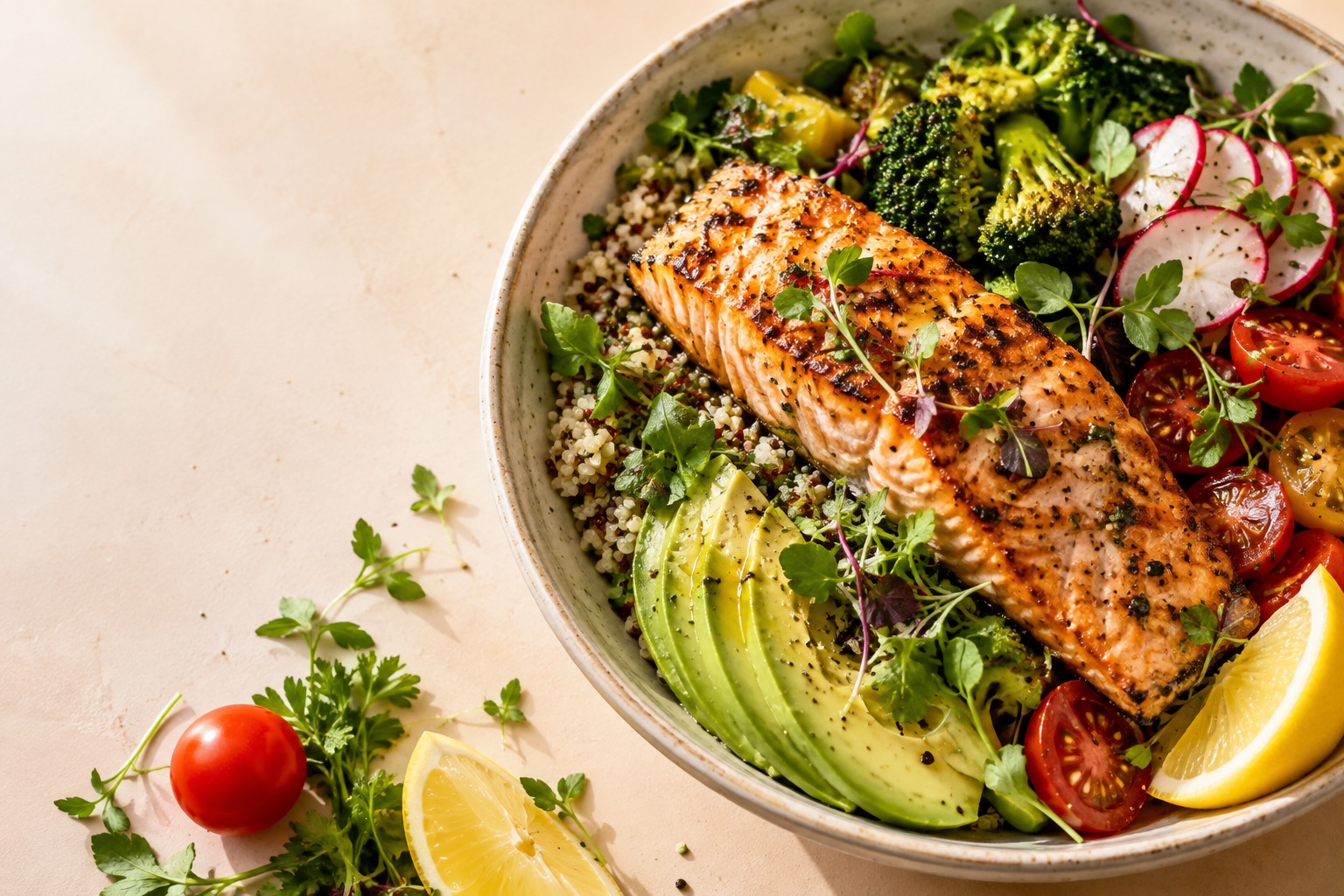
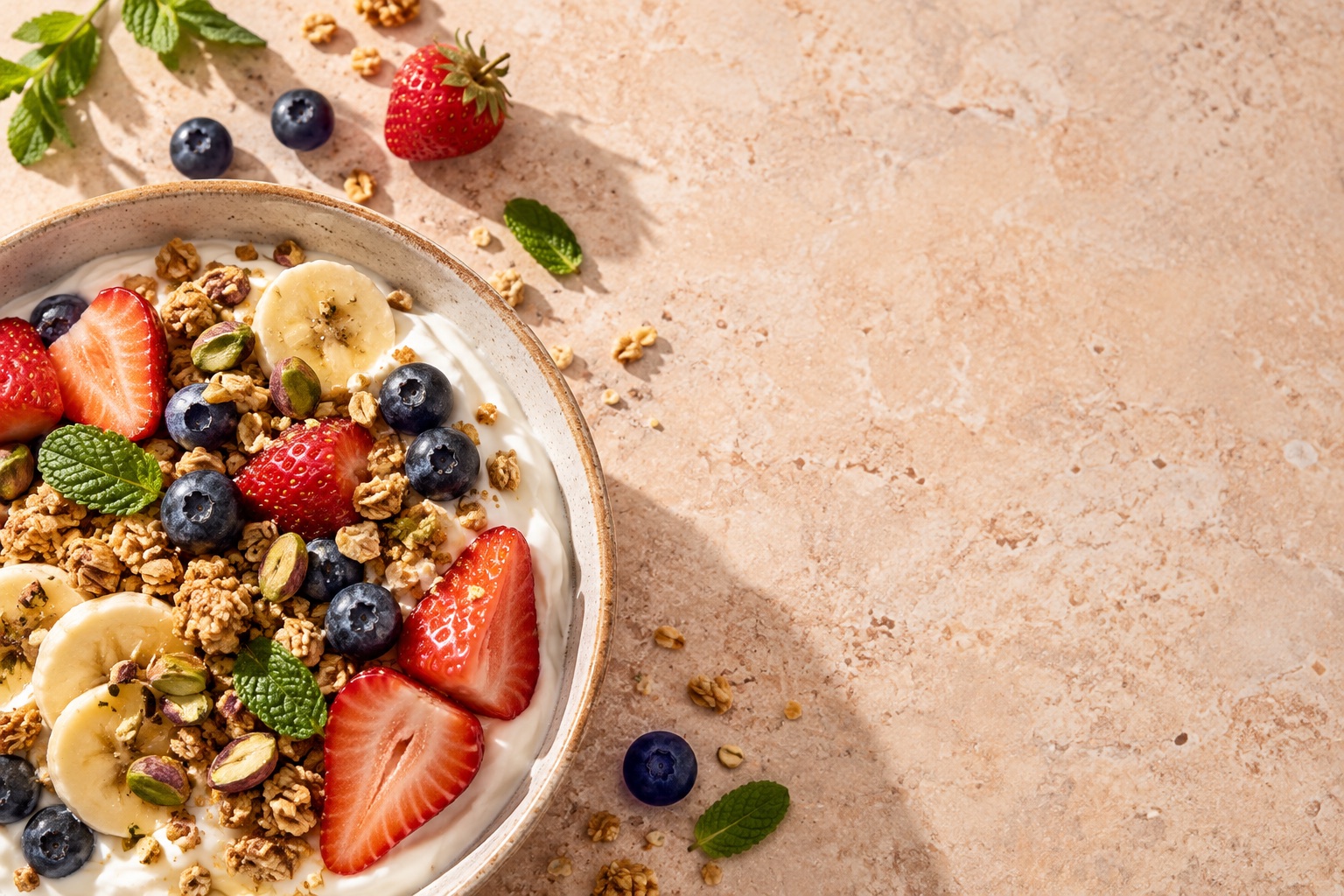 AI-generated food photograph
Use the camera or choose a meal from your photo library.
Grape estimates meal totals on your phone. Plum adds a food-by-food breakdown on supported devices.
Adjust foods and portions before saving. Track meals against your chosen calorie goal.
INSIDE NOMM.AI
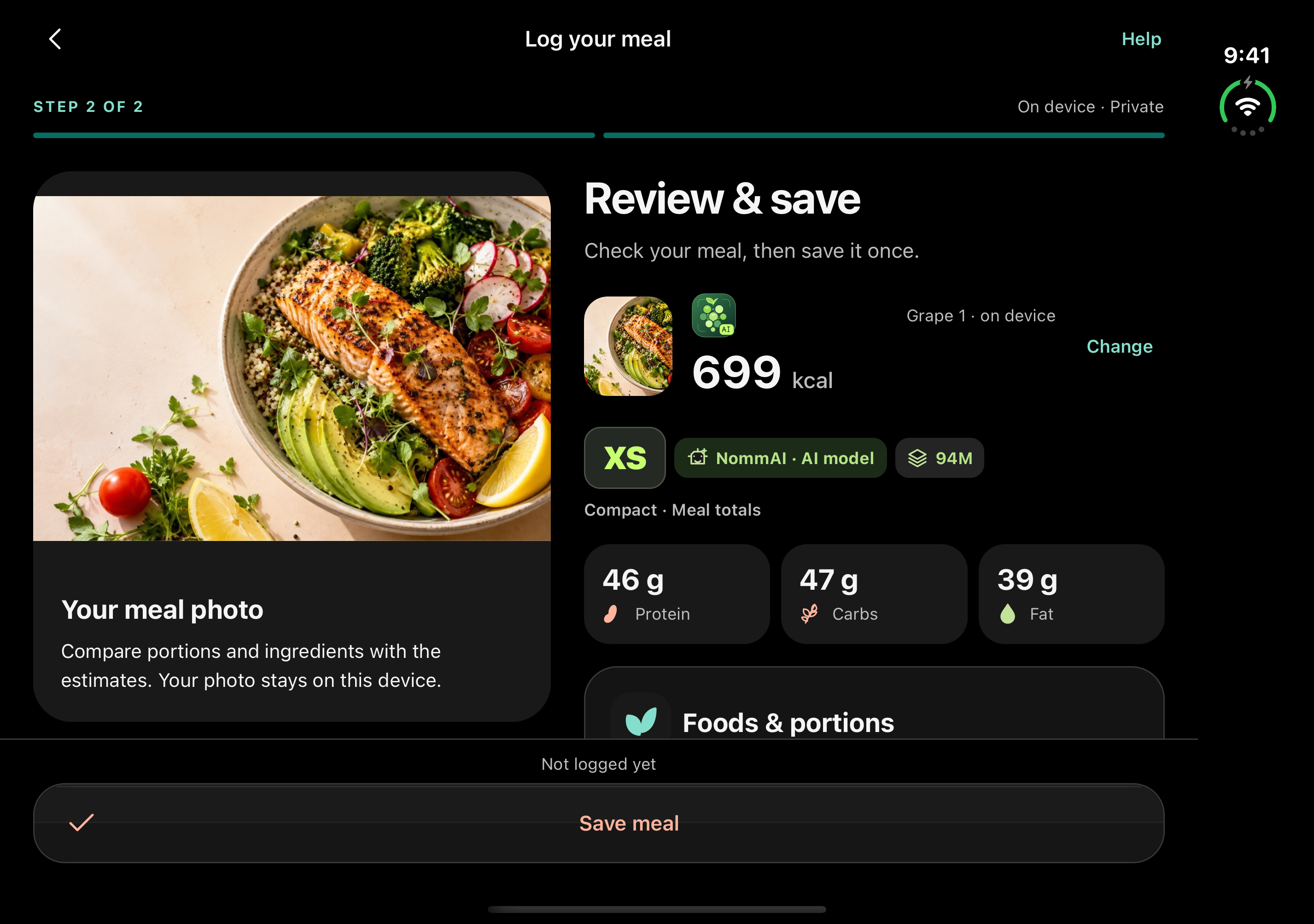
See your meal, check the estimate and save it to your diary. A clear view on iPhone. More room to review on iPhone Duo.
IPHONE DUO · EXPANDED DISPLAY
Check calories, macros
and portions.
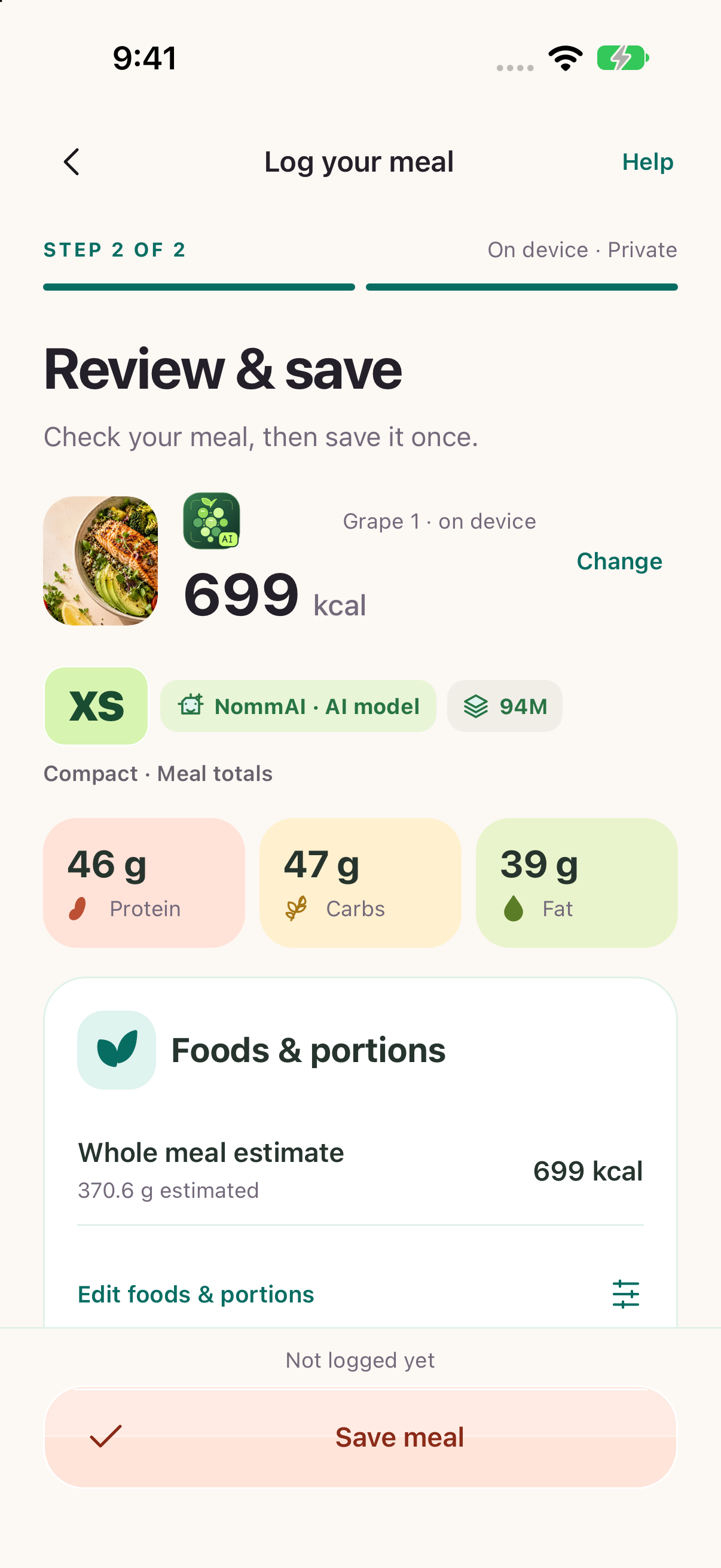
Your meal and photo,
saved in your diary.
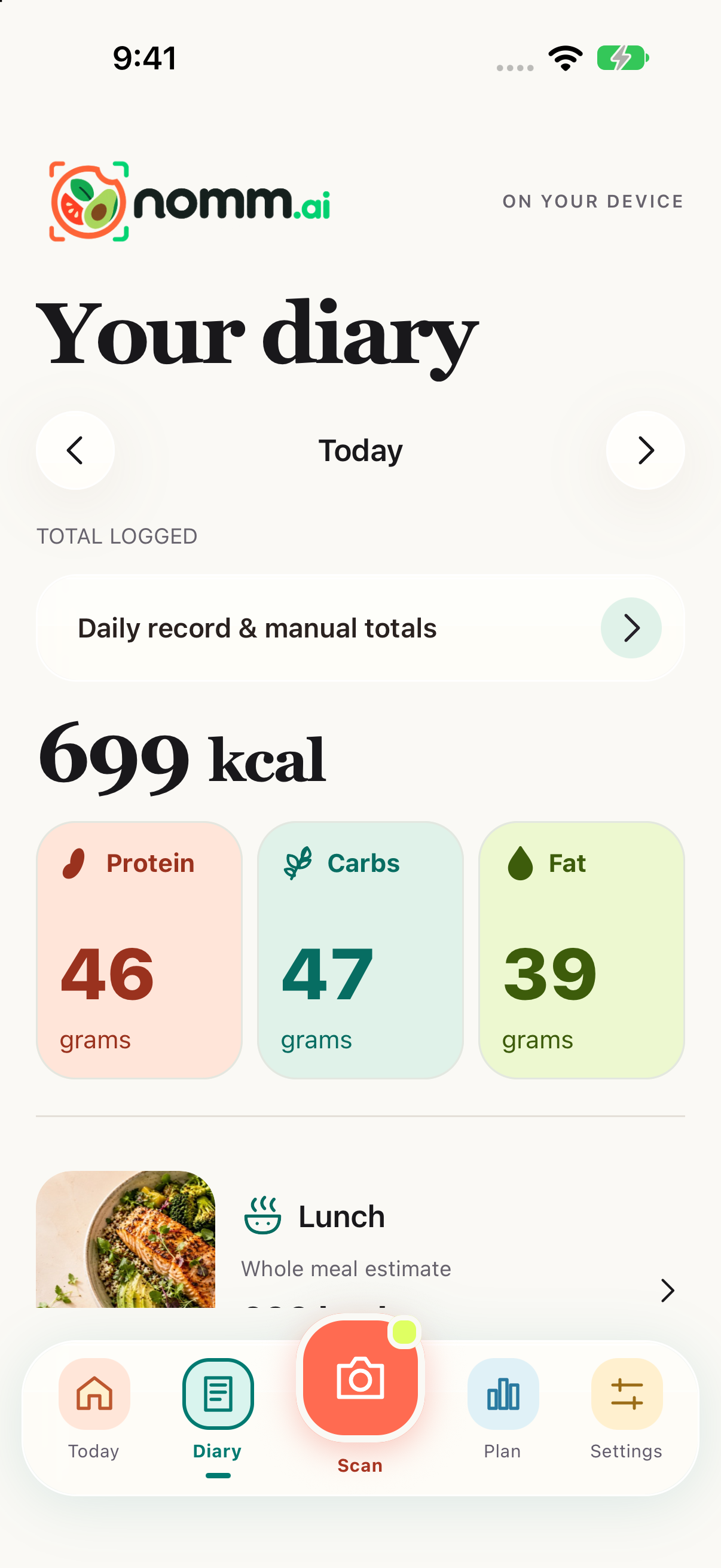
 YOUR MEAL PHOTO
PHOTO → ESTIMATE → DIARY
Review the food you photographed, adjust what you know and keep the picture with your saved entry.
Explore the app BREAKFAST, LUNCH OR DINNER
Native iOS simulator captures in illustrated device frames. The salmon photo is AI-generated; the displayed values are recorded estimates, not measured nutrition. Expanded-layout previews do not establish physical-device performance.
Local tracking does not require an account. First setup records your notice acknowledgements under a random installation ID. Diary sync and photo sharing stay off unless you choose them.
TRAINED BY NOMMAI · OPEN WEIGHTS
Choose quick meal totals or a food-by-food breakdown. Both models are trained by NommAI. Both are free, run on your phone and have public weights on Hugging Face.
Whole-meal estimates
A compact AI model for everyday logging. Get estimated calories and macros for your whole meal, then review and save.
Food-by-food estimates
More detail from the same photo. Combine meal-total estimation with individual food identification, then check the portions before saving.
Future additions to the NommAI model family.
XS → S → M → L describes size, not measured accuracy. Speed varies by phone, photo and model version. Available free on iOS and Android. Plum can take several minutes on some Android phones. Plus and Pro are previews; availability, pricing and hosting are not announced.
ESTIMATES, EXPLAINED
Portion size, cooking oils and hidden ingredients affect calorie estimates. Review the result, make corrections, or add another photo when needed. Calorie goals are estimates too, and you can set your own.
GRAPE & PLUM EVALUATIONS
See how our food AI compares.
Compare Grape and Plum with other models on meals photographed at home, in restaurants and in controlled tests.
View PlateBench on GitHubLowest average error
Plum research results · 6 of 8 testsPhoto evaluations
Eight tests across six datasetsGrape model size
Plum combines Grape + a 0.8B modelPublished research results. Performance on your phone and individual meals can differ.
MODEL COMPARISON
Average calorie error across eight food-photo tests.
Lower numbers are better. Highlighted cells show the lowest error.
| Food-photo test |  Plum 11.2 GB |  Grape 1188 MB | Qwen3.8-27B27B | J50.8B | CalorieK94M | Boba0.8B |
|---|---|---|---|---|---|---|
| Nutrition5k overhead507 photos | Lowest point estimate: 45.3 | 50.1 | 92.7 | 49.8 | 104.9 | 108.5 |
| Nutrition5k angled675 photos | Lowest point estimate: 43.9 | 48.7 | 102.7 | 47.4 | 57.2 | 83.3 |
| NutritionVerse889 photos | 490.3 | 525.5 | Lowest point estimate: 427.7 | 462.3 | 657.2 | 680.7 |
| SNAPMe1,474 photos | Lowest point estimate: 131.2 | 136.6 | 135.8 | 133.7 | 158.0 | 197.5 |
| JFB1,000 photos | Lowest point estimate: 131.6 | 143.9 | 132.2 | 135.2 | 178.5 | 241.4 |
| DiningBench1,650 photos | Lowest point estimate: 219.0 | 232.0 | 226.0 | 227.2 | 312.7 | 472.2 |
| DiningBench customer1,458 photos | Lowest point estimate: 231.0 | 239.6 | 236.5 | 243.4 | 320.3 | 458.1 |
| OmniFood8K2,368 photos | 173.0 | 167.9 | Lowest point estimate: 143.0 | 189.7 | 228.1 | 259.7 |
Scores show the average difference from the dataset’s reference calories (kcal MAE). Green cells mark the lowest reported error for each test. Grape and Plum scores are research averages; see test details below.
Grape and Plum results are two-seed research recipe averages from PlateBench, computed on a PC. They are not direct measurements of the shipped phone models. Qwen3.8-27B is a zero-shot server baseline; J5 is our research calorie-decision component. CalorieK and Boba are research baselines. Earlier development candidates are available in the source tables.
Dataset references vary: some meals are weighed, some use self-reported food records or corrected labels, and restaurant labels can be model-assisted. Related photos are not all independent meals. Some public tracks informed model choices, so this table is not an untouched holdout. Lowest average errors do not establish statistical superiority or guarantee an accurate estimate for every meal.
PlateBench is maintained by us. The repository includes separate held-out results, confidence intervals, predictions and scoring code. The research paper’s arXiv link is pending.
Read the full results and methods ↗Source snapshot: PlateBench b217f5e · Checked 2026-10-27 · Download chart data (JSON) · Artwork attribution
THE DETAILS
Yes. Grape 1 and Plum 1 run on your phone for free, with unlimited local scans and no paid AI API subscription. Their weights are public under licenses with usage restrictions. Larger API-based models and optional cloud services are planned separately; no subscription starts when you install or accept the notices.
Calories and portions are estimates. Oils, sauces and hidden ingredients can be missed. Review the foods and amounts, correct the numbers, or enter a meal manually before saving.
On-device scans and saved photos stay on your phone by default. Optional cloud backup, hosted reviews and support sharing are being tested separately and require your choice. We do not automatically collect photos for training.
Installed models analyze photos on your device. Internet is required to confirm your first acceptance of the notices, download Plum and acknowledge later required policy updates. Reading your existing diary remains available offline.
Grape 1 estimates whole-meal nutrition; Plum 1 adds food-by-food estimates on supported phones. Both are made by NommAI. Public download files and licenses are available; the research paper has been submitted to arXiv and its public link is pending.
NommAI is available free on the App Store. It is also available free on Google Play. Grape and Plum weights are public. See download availability. The paper link will follow when its abstract is public.
NOW ON IOS & ANDROID
Our own trained AI models. Free, unlimited calorie and macro estimates on your phone.
Grape XS is included with the app. Add optional Plum S for food-by-food details on supported devices. No subscription or account required for local tracking.
Choose your store and download the app. Start with the included Grape model for the quickest scans.
See model sizes and device guidance ↗
Free photo calorie tracking with on-device AI and public model weights.